Microsoft Copilot readiness is about data exposure, not licensing. Copilot can surface anything a user already has permission to open, so years of overshared files, anonymous links and drifting Microsoft 365 settings become visible at AI speed. A readiness review finds where sensitive data and broad access overlap, and fixes it before or during rollout.
AI tools like Copilot are often introduced faster than the controls meant to govern them. As adoption accelerates, gaps in permissions, sharing and baseline configuration get harder to see. Copilot readiness reporting makes that operational risk visible before it compounds.
Why is Copilot readiness a data access problem?
Microsoft is clear about how Copilot handles permissions. Its documentation on data, privacy and security for Microsoft Copilot states that Copilot "only surfaces organizational data to which individual users have at least view permissions," and stresses the importance of using the permission models in services such as SharePoint so the right people have access to the right content.
That is good design, but it shifts the burden to you. Copilot does not create new access. It makes existing access far easier to use. A spreadsheet of salaries that sat unnoticed in a team site for three years can now be summarized by anyone who asks the right question, as long as their account can open it.
Where does Copilot data exposure come from?
- Overshared files and sites. Folders shared with "everyone," broad security groups and team sites whose membership grew over time.
- Anonymous sharing links. "Anyone with the link" shares created for a one-off purpose and never revoked, sometimes on files containing personal data.
- Unlabeled sensitive data. Personally identifiable information (PII) and confidential documents with no sensitivity label, so nothing distinguishes them from routine files.
- Configuration drift. Default sharing settings, MFA policies and other tenant settings that have drifted from a secure baseline.
- Prompt injection and misuse. Content crafted to manipulate AI assistants, and staff using AI output without review.
What does a Copilot Readiness Report check?
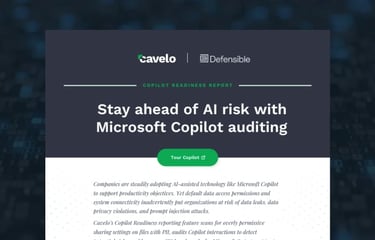
The Copilot Readiness Report described in our downloadable overview is built on Cavelo's platform. It scans for overly permissive sharing settings on files with PII, audits Copilot interactions to detect potential risks, and uses CIS benchmarks for Microsoft 365 to support configuration hardening. Its capabilities fall into four areas:
| Capability | What it does | Why it matters |
|---|---|---|
| Discovery | Finds anonymous share links affecting PII in Microsoft 365 | Anonymous links are the fastest route from internal file to external exposure |
| Visibility | Identifies files with PII or Microsoft sensitivity labels that users with Copilot can access | Shows exactly where Copilot can read sensitive data |
| Benchmarking | Evaluates default file sharing behavior, MFA policies and more against CIS benchmark guidance, with remediation steps | Hardens the tenant baseline Copilot runs on |
| System and file interaction | Reports on files Copilot has interacted with and the entity associated with each interaction | Creates an audit trail of AI access to sensitive content |
Together these answer three questions leadership usually asks: which files Copilot is using, which files with PII have anonymous share links, and where Copilot can read sensitive data.
The benchmark step references the Center for Internet Security's CIS Microsoft 365 Foundations Benchmark, a widely used configuration baseline for Microsoft 365 tenants.
What does Microsoft protect, and what is still on you?
Microsoft states that prompts, responses and data accessed through Microsoft Graph are not used to train the foundation models used by Copilot, and that Copilot honors the usage rights on content encrypted with Microsoft Purview sensitivity labels. Those are meaningful protections at the platform level.
What Microsoft cannot do is decide who in your organization should see which files. Permissions, sharing links, labels, group membership and tenant settings are your responsibility. So is training staff to review AI output before relying on it.
A practical Copilot readiness checklist
- Find sensitive data. Locate files containing PII, financial data, health information and confidential business documents across SharePoint, OneDrive and Teams.
- Remove anonymous links on sensitive files. Start with any "anyone with the link" share on a file that contains personal data.
- Tighten broad access. Review sites and folders shared with everyone or with very large groups. Reduce access to the people who need it.
- Label what matters. Apply sensitivity labels to your most sensitive content so protections travel with the file.
- Harden the tenant baseline. Compare default sharing, MFA and related settings against CIS benchmark guidance and fix the gaps.
- Pilot with a small group. Enable Copilot for a defined set of users, monitor which files it interacts with and adjust before wider rollout.
- Set the rules. Publish an AI acceptable use policy that covers data handling and human review. Our AI acceptable use policy template can help.
- Repeat. Permissions drift. Re-run readiness reporting on a schedule, not once.
Who should run a Copilot readiness review?
Any organization planning or already running Copilot, and especially those that handle regulated or client-confidential data: healthcare, financial services, legal, education and nonprofits holding donor information. If you have not yet decided whether Copilot is worth the investment, our guide to Microsoft Copilot pricing for SMBs covers cost and use cases, and From PII to BII explains how AI is changing what counts as sensitive data.
Download the Copilot Readiness overview
Download the Copilot Readiness Report overview (PDF) to see the report's capabilities and sample outputs.
Frequently Asked Questions
Can Microsoft Copilot see files a user does not have access to?
According to Microsoft, Copilot only surfaces organizational data to which the individual user has at least view permissions. The risk is that many users have access to far more than they should, through overshared folders, broad groups and anonymous links.
What is a Copilot readiness assessment?
It is a review of your Microsoft 365 environment before or during a Copilot rollout. It looks for sensitive data that is overshared, anonymous sharing links, weak baseline settings and how Copilot is interacting with sensitive files, then prioritizes fixes.
Does Microsoft use our Copilot prompts to train its AI models?
Microsoft states that prompts, responses and data accessed through Microsoft Graph are not used to train the foundation large language models used by Microsoft Copilot. That does not remove the need to fix internal oversharing.
Do we need to finish a permissions cleanup before enabling Copilot?
You do not need a perfect environment, but you should fix the highest-risk exposure first: sensitive files with anonymous or organization-wide links, and sites holding regulated data. Then pilot Copilot with a small group while cleanup continues.
Roll out Copilot with your data under control
Defensible helps organizations prepare Microsoft 365 for AI: permissions cleanup, configuration hardening, policy and staff training. Explore our AI enablement services or talk to an expert.